An office move, one workplace at a time.
Homeshift Business plans your company’s move: workplaces, waves, labels and progress on Mac, on iPhone and iPad, and in the browser. Staff pack with Homeshift Go, without an account.
Subscription with a 7-day free trial, bought in the app. Homeshift Go is free for staff.
How an office move runs
From the list of workplaces to the last damage report it takes seven steps, and all of them live in the same cloud. What is planned on the Mac shows up on the team’s iPhones and in the browser right away.
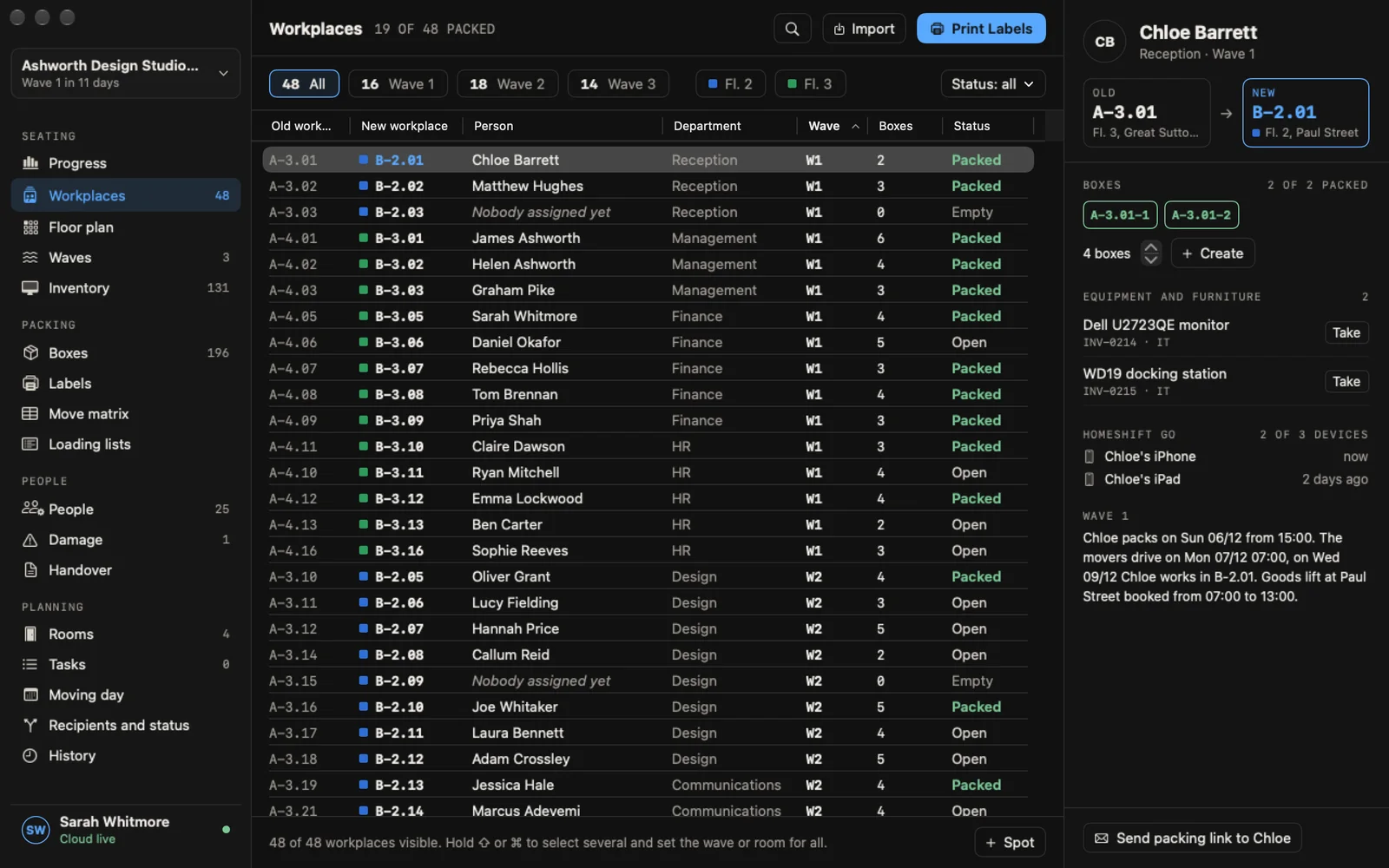
1Import the list
- Old workplace
- New workplace
- Person
- Department
- Wave
- Floor
- Room
48 workplaces, none packed yet
You already have the list.
Workplaces and people come from a spreadsheet every company already keeps. The template comes as CSV and as Excel; the Excel template carries an “Instructions for AI” sheet that lets an AI app move any list into the template.
- Map the columns, check the preview, then import
- New waves and rooms are created by the import
- Inventory and boxes have templates of their own
- On the floor plan, dragging swaps two new workplaces, and it can be undone
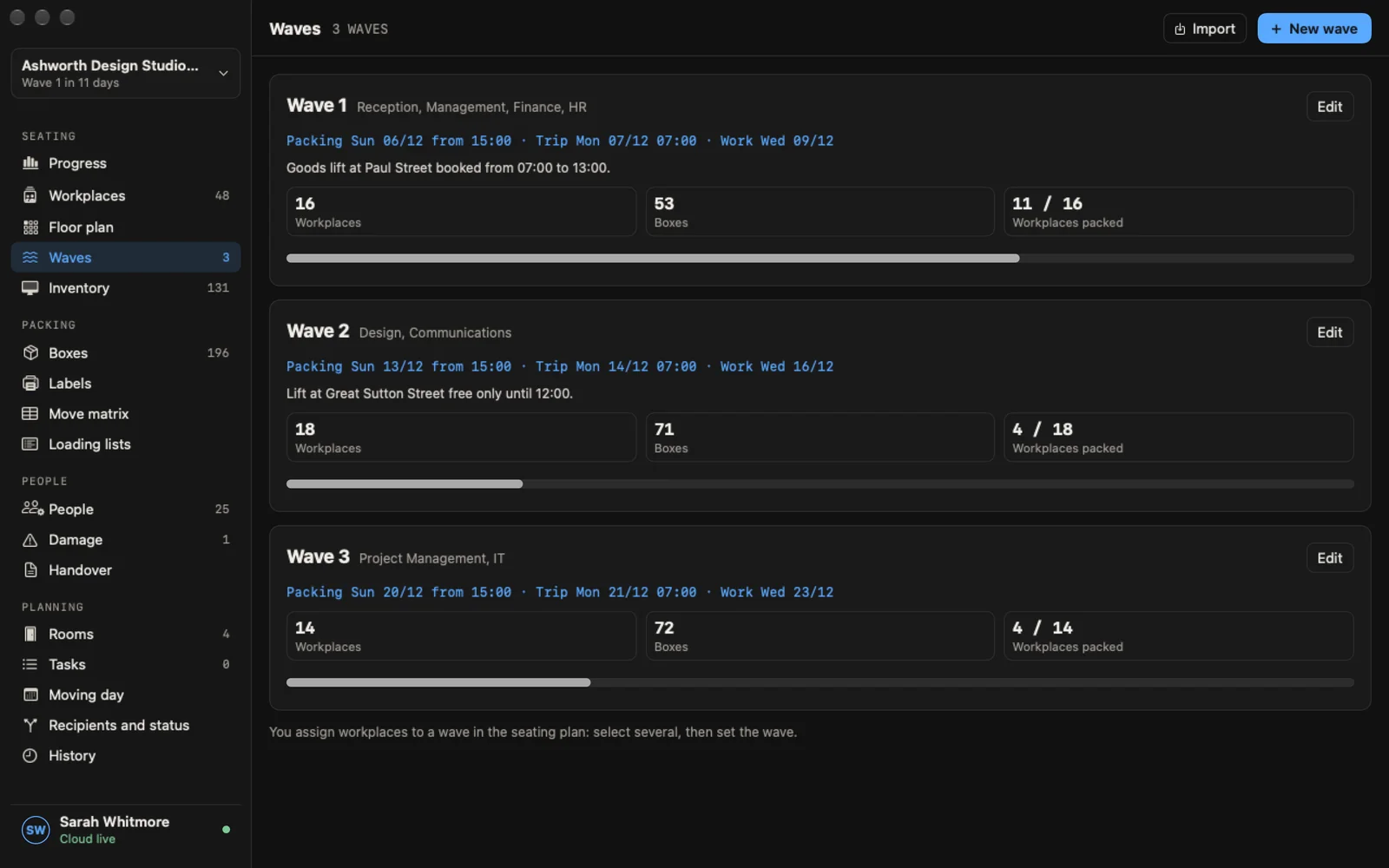
2Plan the waves
- Packing from Thu 08:00
- Packed by Fri 17:00
- Move on Sat 07:00
- Work at the new place from Mon 08:00
3 waves, 48 workplaces
A wave packs, moves and starts together.
A wave is one stage of the move: start of packing, packing deadline, transport and the first working day at the new site. Homeshift Go shows each workplace exactly these dates.
- Select several workplaces and set the wave for all of them at once
- Move matrix: who moves when from where to where, as a landscape A4 PDF or as CSV
- Loading lists per building and floor of the destination
- Every wave shows its workplaces, boxes and packed workplaces
3Print the labels
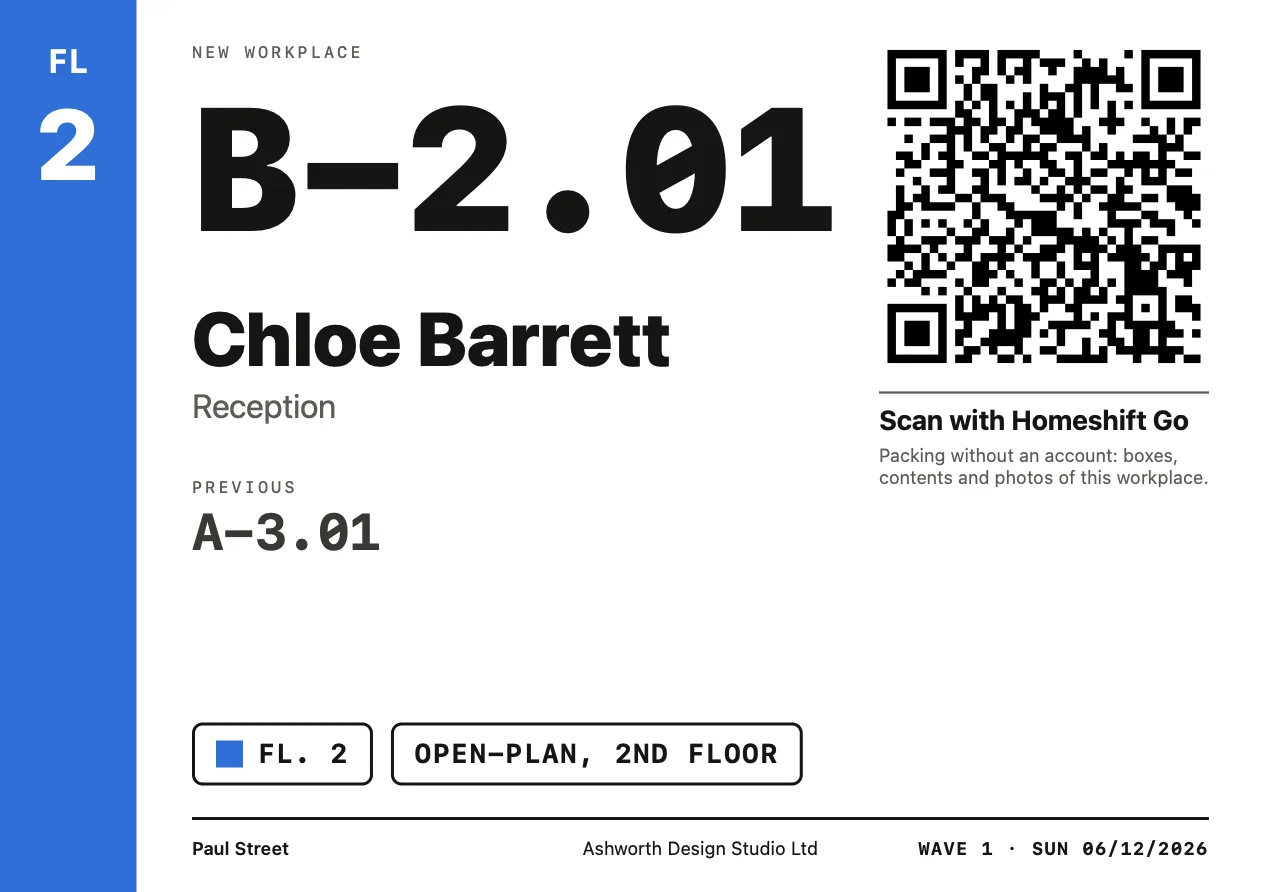
- Workplace label with QR
- Box label with destination
- Colour of the destination floor
Labels printed, boxes open
Every workplace gets its label.
The workplace label names the new and the old workplace, the person, department and wave, and carries the QR code for Homeshift Go. Box labels show the destination workplace and the colour of the destination floor, always with “Floor 2” as text so they read in black and white too.
- The server remembers which label has been printed
- When a destination changes, the label is due for printing again
- If a label goes missing, a new code replaces the old one
- Print on Mac, on iPhone and iPad, and in the browser
4Connect the staff
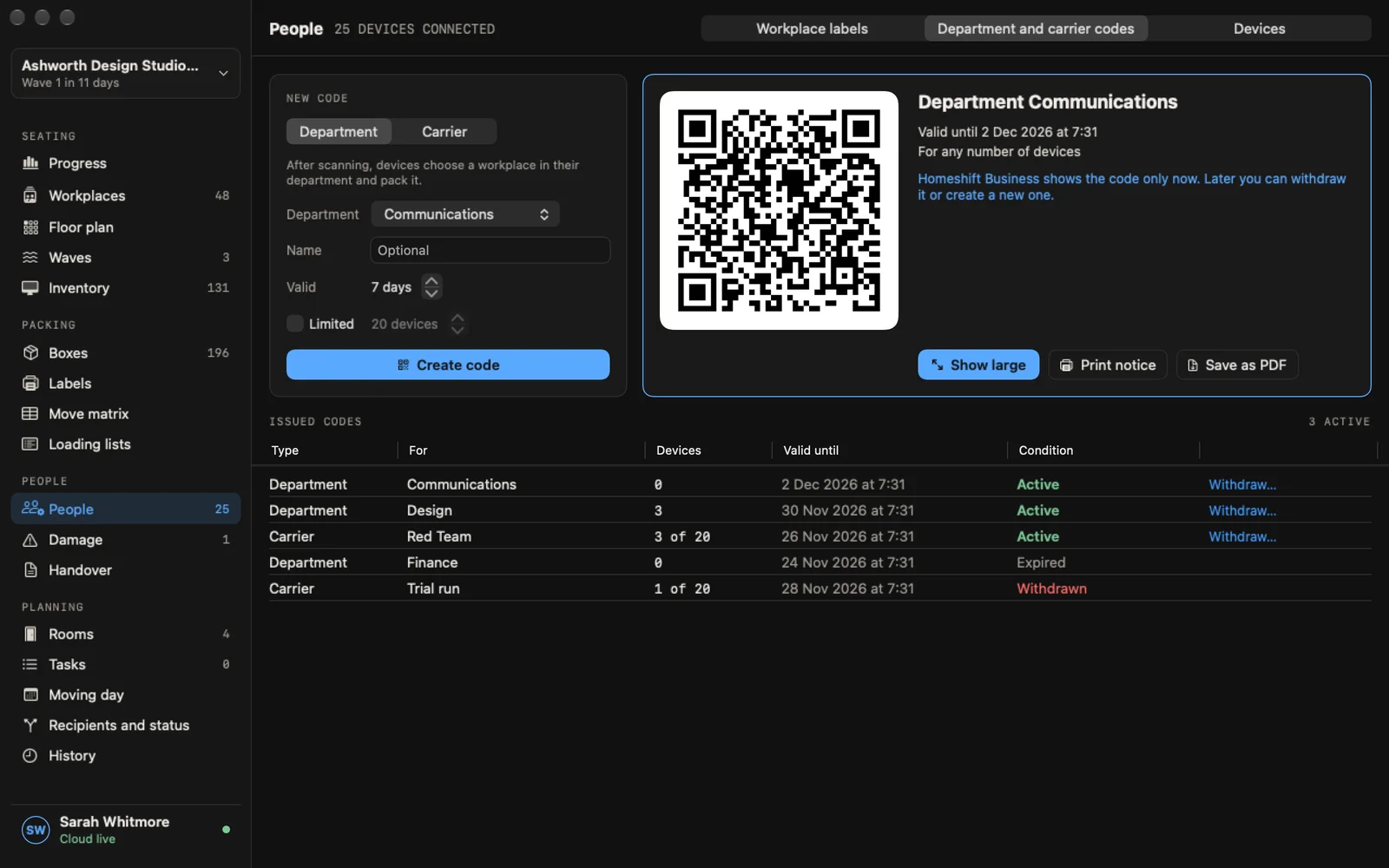
- Department code
- Carrier code
- Workplace code
25 devices connected
A code instead of an account.
Staff install Homeshift Go and scan a code. The server binds the device to the company, the move, the workplace and the role; no account, no password, no sign-in with Apple or Google.
- Department code: whoever scans picks a free workplace in their department
- Carrier code: for the crew that carries boxes and furniture
- Workplace code: printed on the workplace label
- Show codes full screen or print them as a notice
- See connected devices and disconnect one with a click
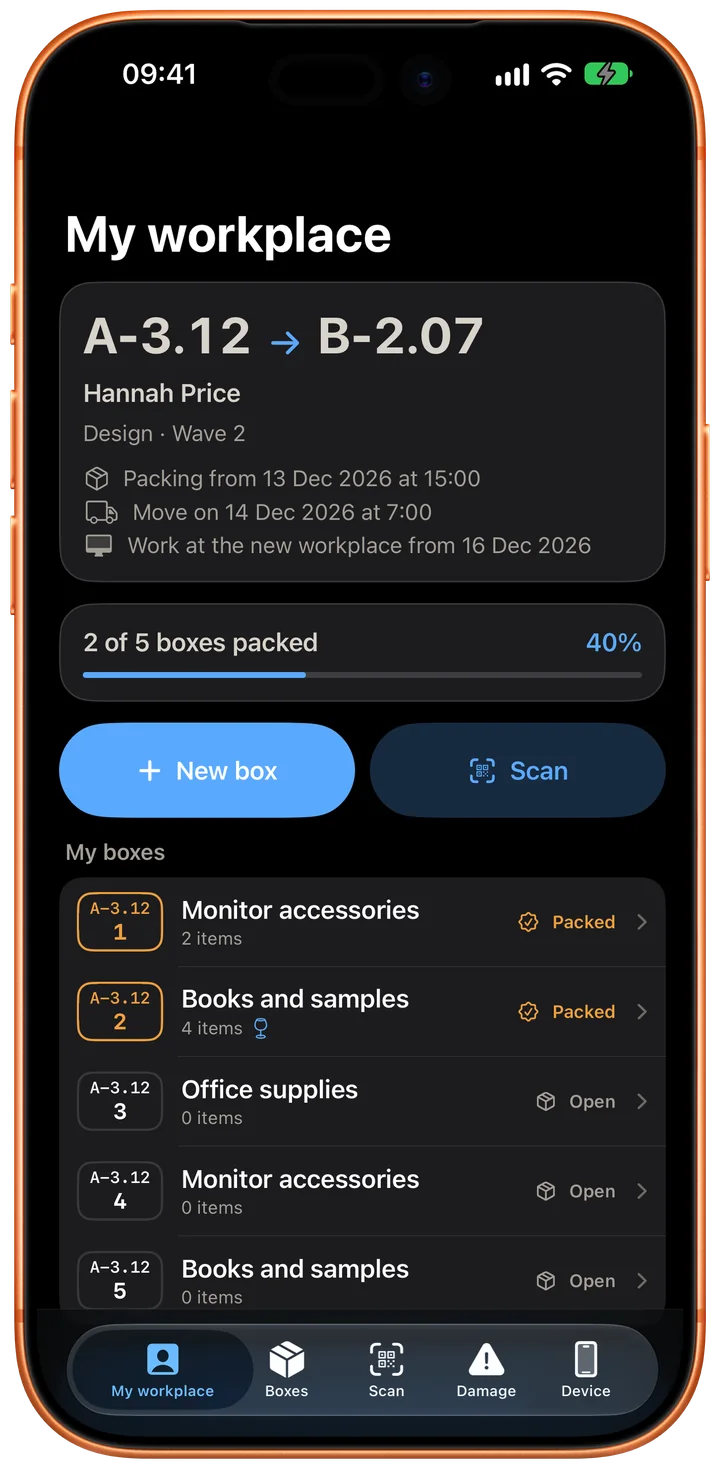
5Pack at the workplace
- A-3.12-1
- A-3.12-2
- A-3.12-3
- My workplace is packed
19 of 48 workplaces packed
Everyone packs at their own workplace.
In Homeshift Go each person sees their workplace: from where to where, the wave and its dates. New boxes carry the workplace’s number, A-3.12-1, A-3.12-2 and so on, so two devices never hand out the same number, even offline.
- Contents and photos for every box, as in Homeshift
- Report damage at your own workplace
- “My workplace is packed” tells the managers the workplace is ready
6Move and follow
- Open
- Packed
- Arrived
- Unpacked
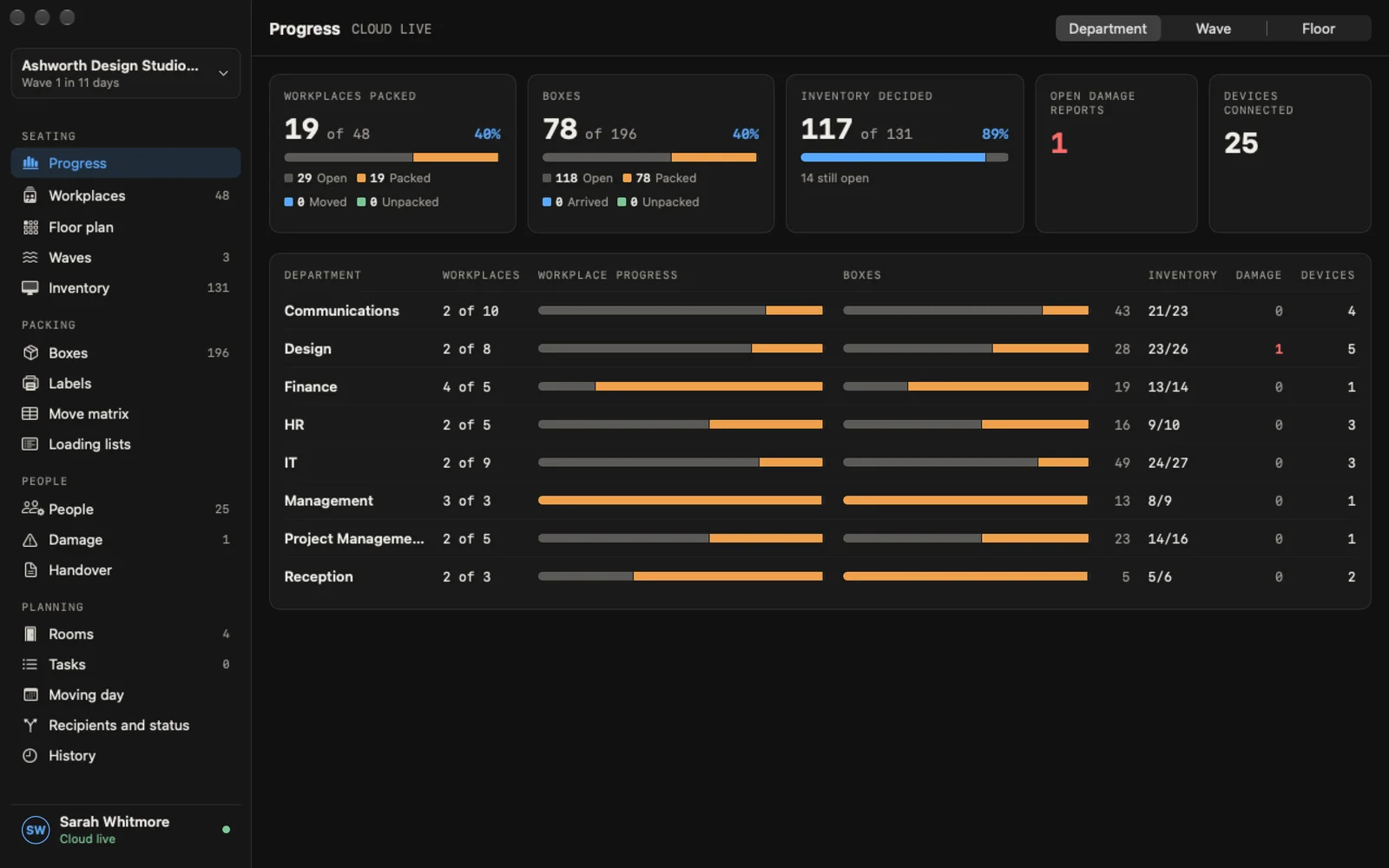
All workplaces packed, boxes on the way
The control centre knows how far you are.
Whatever happens in Homeshift Go shows up in the control centre straight away. Progress counts packed workplaces and boxes, decided inventory, open damage and connected devices, per department, wave and floor.
- Carriers set the status in a series: pick a status, then scan one box after another
- One scan shows what is in a box and where it goes
- The camera reads every label in view and shows where the box you are looking for is
- Live on Mac, iPhone, iPad and in the browser
7Settle the damage
- Photo
- Workplace
- Box
- Done
Everything arrived and unpacked
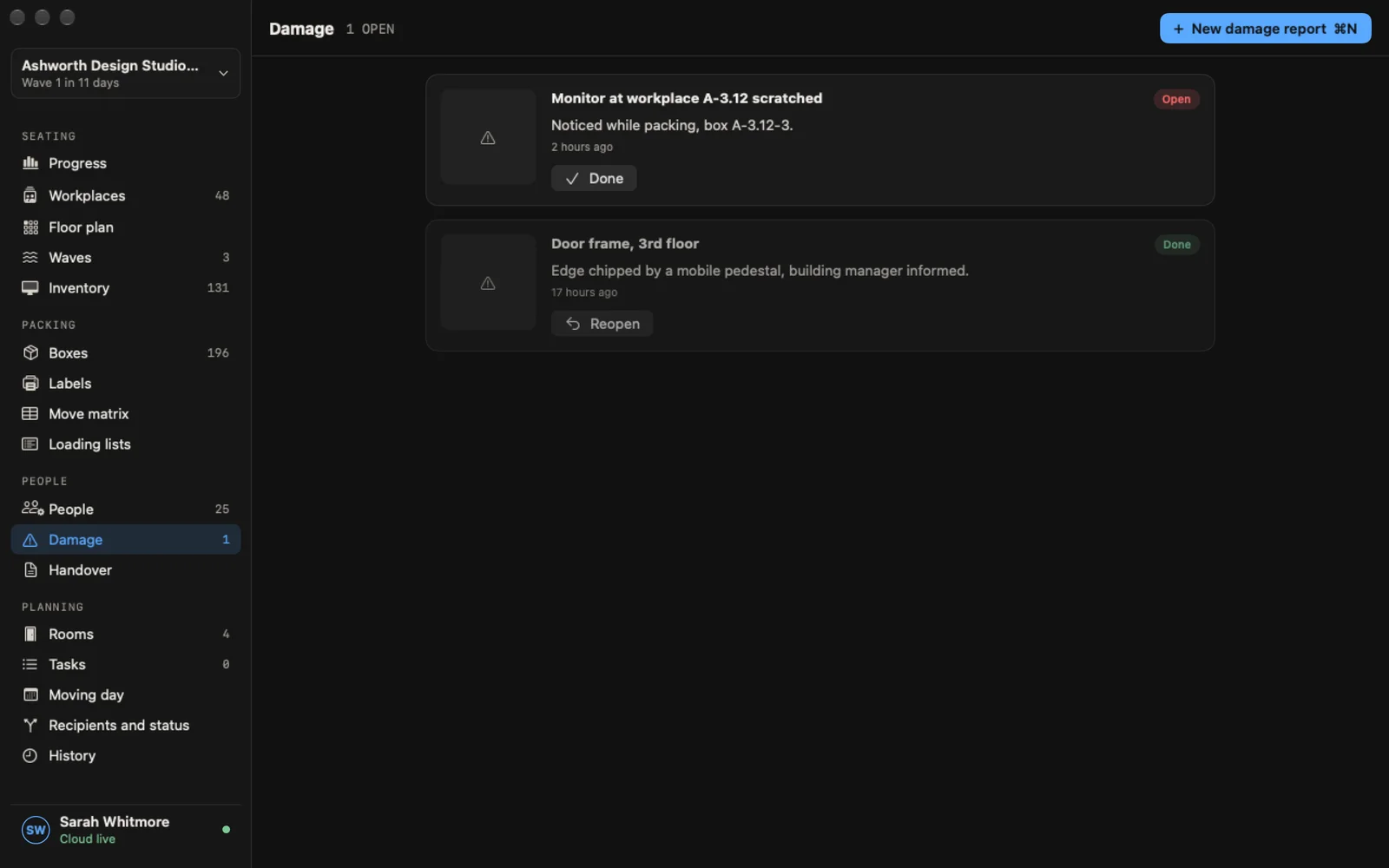
Damage with a photo, in the right place.
The crew reports damage with a photo, the packing role at its workplace. The control centre lists it with photo, place and time until someone marks it as done.
- Open and settled damage kept apart, and a settled one can be reopened
- The history records who changed what, and when
Who may do what
Four roles work with an account in Homeshift Business, two without one in Homeshift Go. The server checks the role on every access.
Management
- Sets roles and removes people from the company
- Reassigns and deletes the company’s moves
- Switches AI access on and off for the whole company
- Its subscription covers office, dispatch, team leads and Homeshift Go
Office
- Edits the company and invites people
- Creates moves and assigns them to the company
- Switches the company’s AI access on and off
- Creates codes for Homeshift Go
Dispatch
- Creates moves and edits workplaces, waves, rooms and boxes
- Creates codes for Homeshift Go
- Prints labels, the move matrix and loading lists
Team lead
- Is invited to a move with their own account
- Sees and edits the whole move without a subscription of their own
- Works on Mac, on iPhone and iPad, or in the browser
Packing role in Homeshift Go
- Sees only their own workplace, its boxes and dates
- Creates boxes, records contents and photos
- Reports damage and the packed workplace
- Sees no customer data, addresses, budgets or values
Carriers in Homeshift Go
- See the boxes of the move
- Set the status of boxes and furniture
- Report damage with a photo
- See no quotes, expenses, tasks or customer data
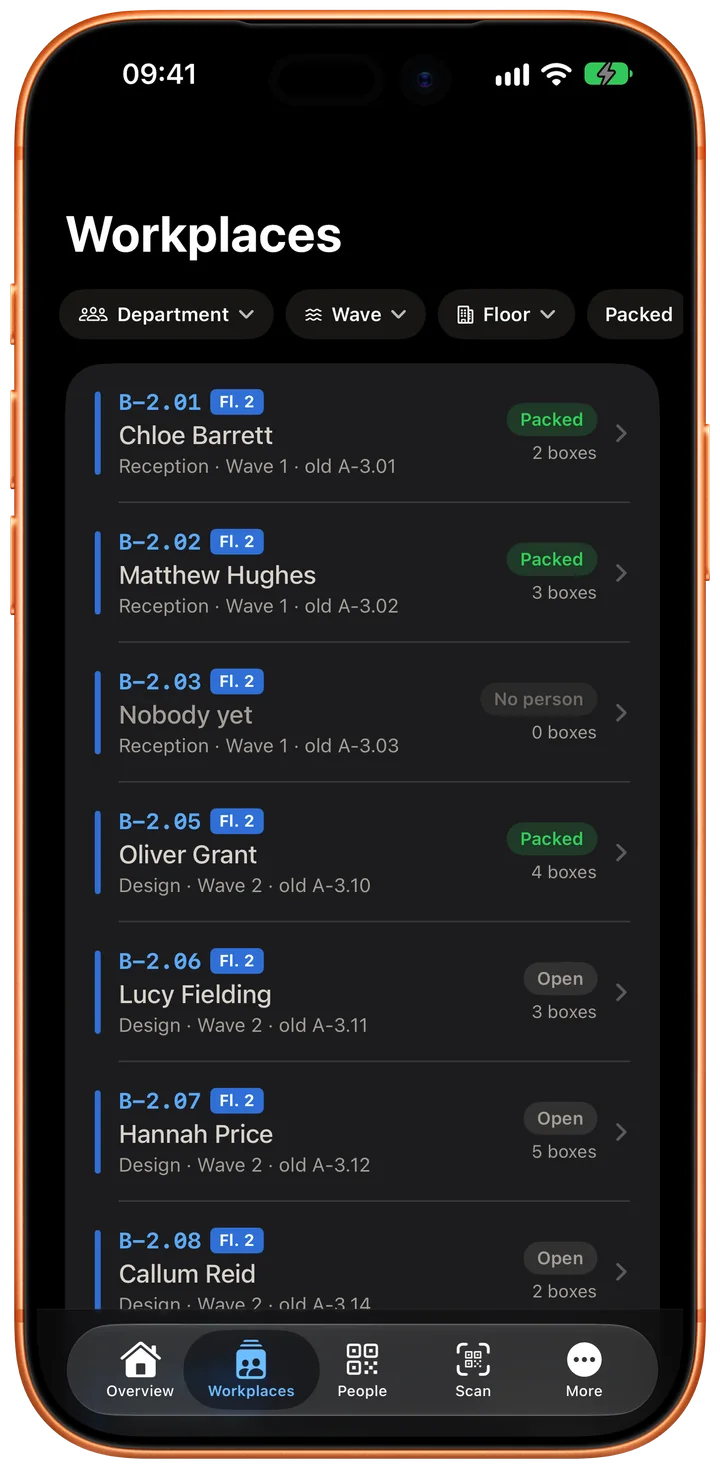
Three ways into the same move
The control centre runs on the Mac, on iPhone and iPad on the go, and in the browser. The same account works everywhere, and every change appears live on the other devices.
- Mac
- Allocation, floor plan, waves, inventory, boxes, labels, move matrix, loading lists, people, damage, rooms, tasks, moving day and history.
- iPhone and iPad
- Overview, workplaces, waves, walkthrough, people, scanning, labels and damage, plus everything Homeshift records.
- Browser
- The control centre at business.homeshift.ch, for companies on Windows too. Imports run on the Mac or in the browser.
Security and data storage
Homeshift Business runs on Homeshift’s own cloud at Cloudflare. Database and photos are stored in the EU, and every access passes the check of membership and role.
- Data in the EU
- Database and photos are stored at Cloudflare under EU jurisdiction.
- No passwords
- Sign in with Apple or Google. Homeshift Go needs nothing but a code.
- Rights per role
- The packing role and carriers see no customer data, addresses, budgets or values.
- History
- Every change is recorded with name and server time.
- Codes expire
- Workplace codes are valid until 30 days after moving day. A disconnected device no longer reaches the move.
- Company data
- Company moves do not expire. When someone leaves the company, the data stays with the company.
AI over MCP, only with consent
Claude, ChatGPT and other MCP apps reach your moves through mcp.homeshift.ch. They read the status, search boxes and people, create boxes or prepare an import. Only a person can connect, with their own account, and they choose the moves and the level themselves.
- Three levels: Read only is the default, then With preview and Automatic
- With preview, only what the person confirms on mcp.homeshift.ch is carried out
- Codes for Homeshift Go are always confirmed by the person
- The history shows “Name via AI”, and the action can be undone
- Management and office switch AI access off for the company, existing connections included
- The packing role, carriers and Homeshift Go devices never get AI access

Try it free for 7 days.
You buy the subscription in the app on Mac, iPhone or iPad, through Apple. The same account opens the control centre in the browser. Anyone working in Homeshift Go never pays; team leads, office and dispatch need no subscription of their own when management pays.