Scan the code, get to work.
Homeshift Go is the app for the staff of an office move run with Homeshift Business. Free, no account, no password: the code from your managers connects the iPhone to the move.
Free. Your company has Homeshift Business, all you need is the app.
How you work with Homeshift Go
Five steps from the code to the disconnected device. The role in the code decides what you see: packing or carrying.
1Scan the code
- Workplace code
- Department code
- Carrier code
The code comes from your managers.
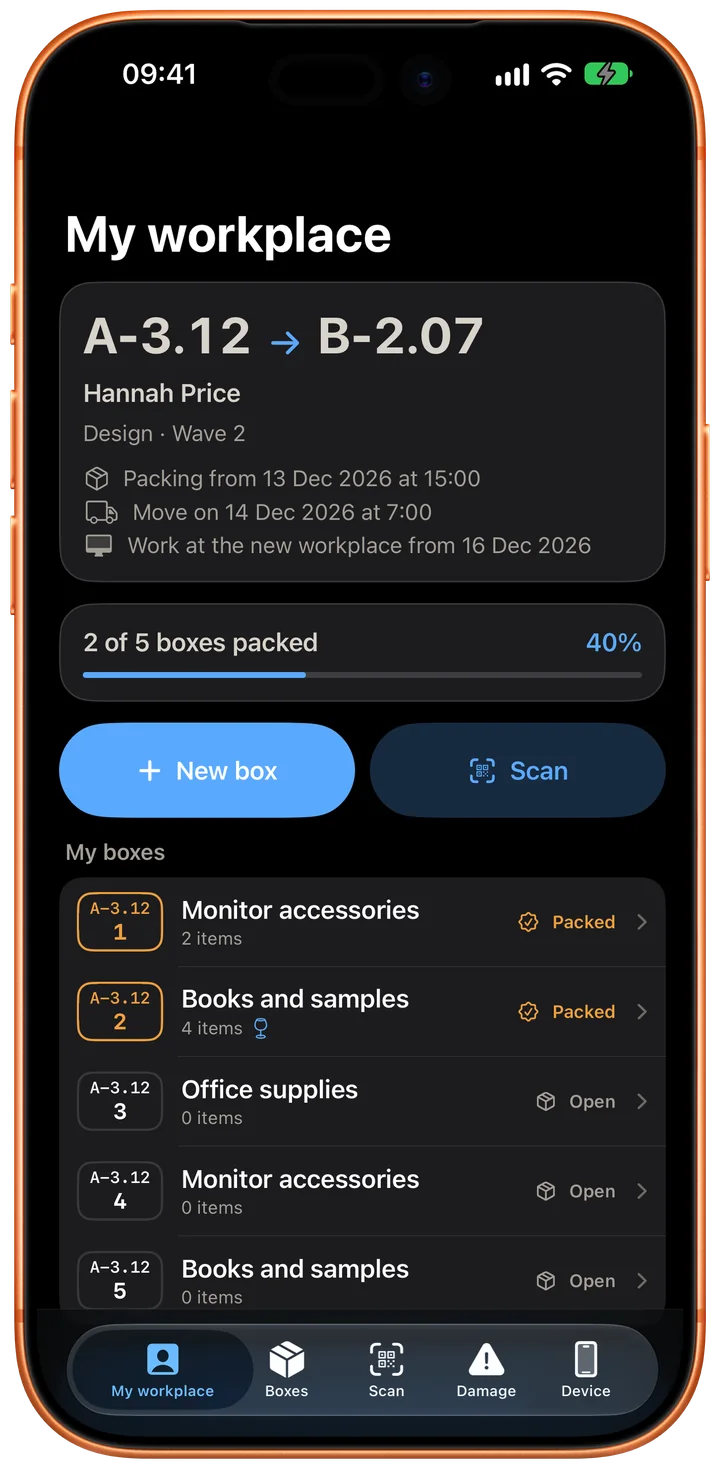
Scan the code your managers show you or the one stuck on your workplace. If it arrives as a link, it opens Homeshift Go directly.
- With a workplace code you are at your workplace right away
- With a department code you pick your workplace from the free ones in your department
- After that, only the managers can change it
- With a carrier code you work with the boxes of the whole move
2My workplace
- Packing from Thu 08:00
- Packed by Fri 17:00
- Move on Sat 07:00
- Work at the new place from Mon 08:00
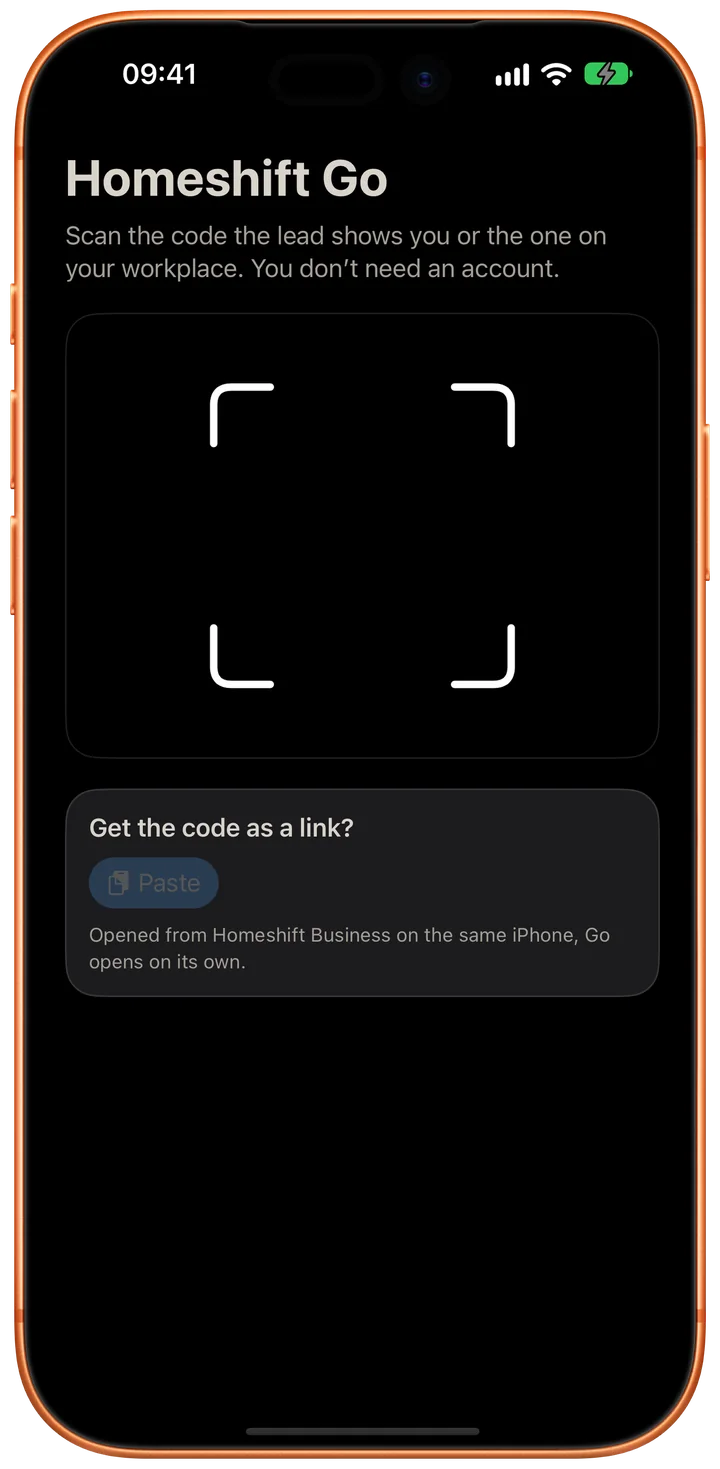
Your workplace, your boxes.
With the packing role, Homeshift Go shows your workplace: from where to where, your wave and its dates. After that you only see your own boxes.
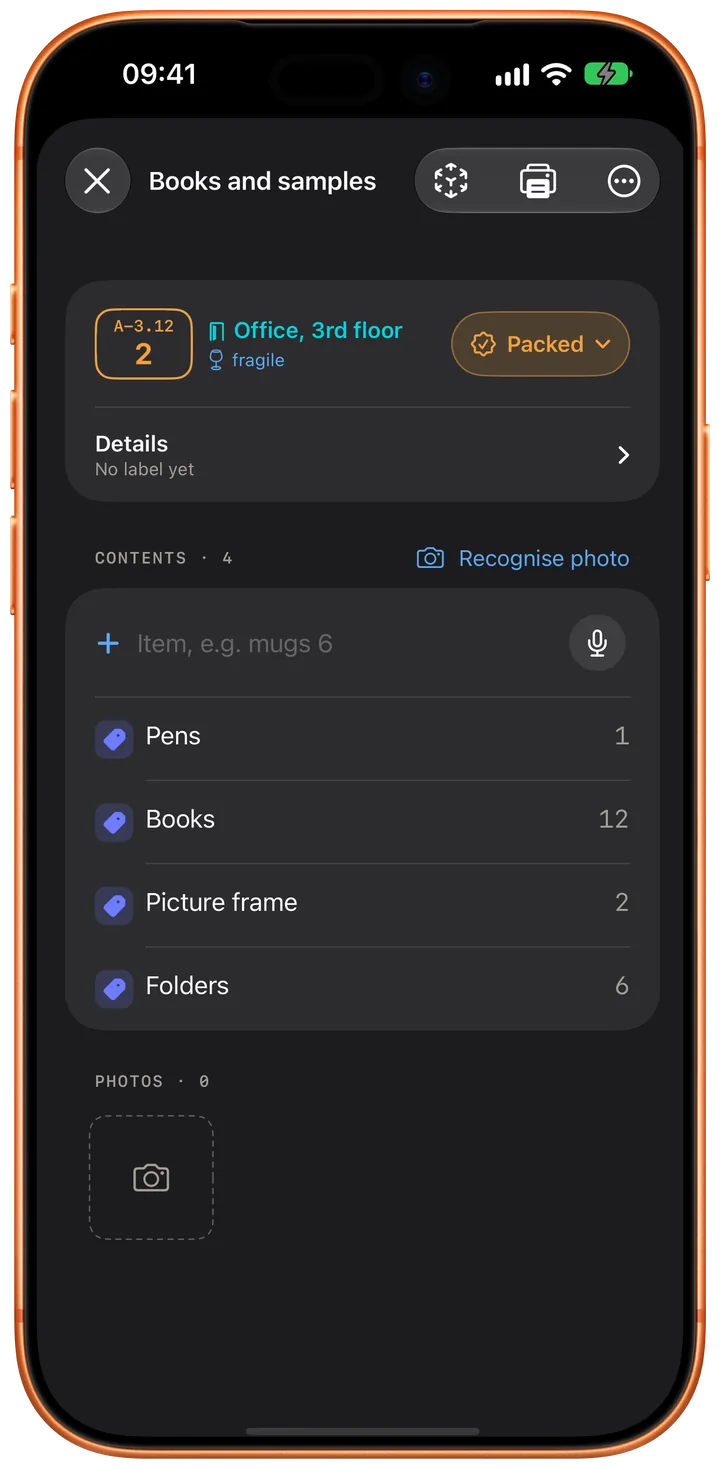
- A new box carries your workplace’s number, for example A-3.12-1
- Record and photograph the contents as in Homeshift
- Mark what is fragile
- “My workplace is packed”: the managers see your workplace is ready
3Carry
- Open
- Packed
- Arrived
- Unpacked
On moving day, every scan counts.
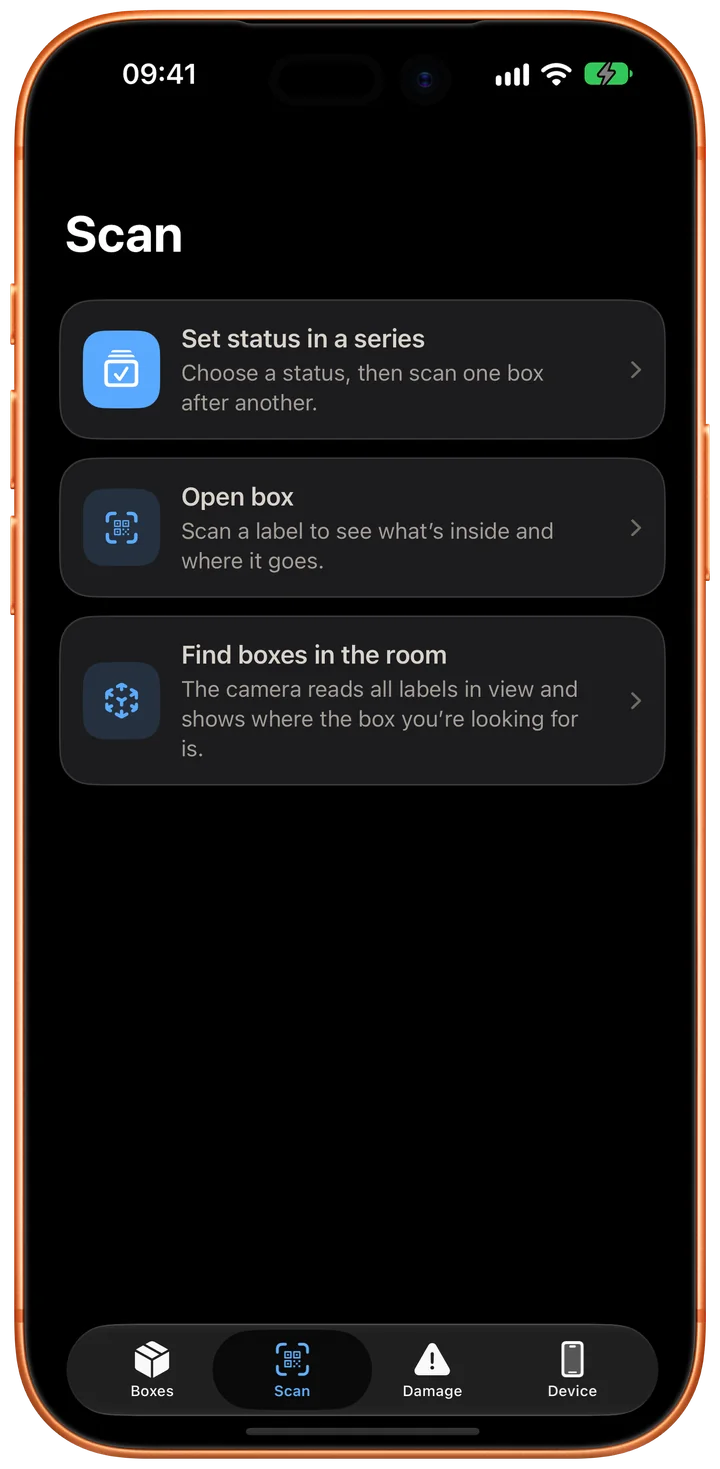
With a carrier code you see the boxes of the move. You pick a status and scan one box after another, and the control centre keeps count.
- Scan a label and see what is inside and where the box goes
- The camera reads every label in view and shows where the box you are looking for is
- Set the status of boxes and furniture
4Report damage
- Photo
- Box
- Workplace
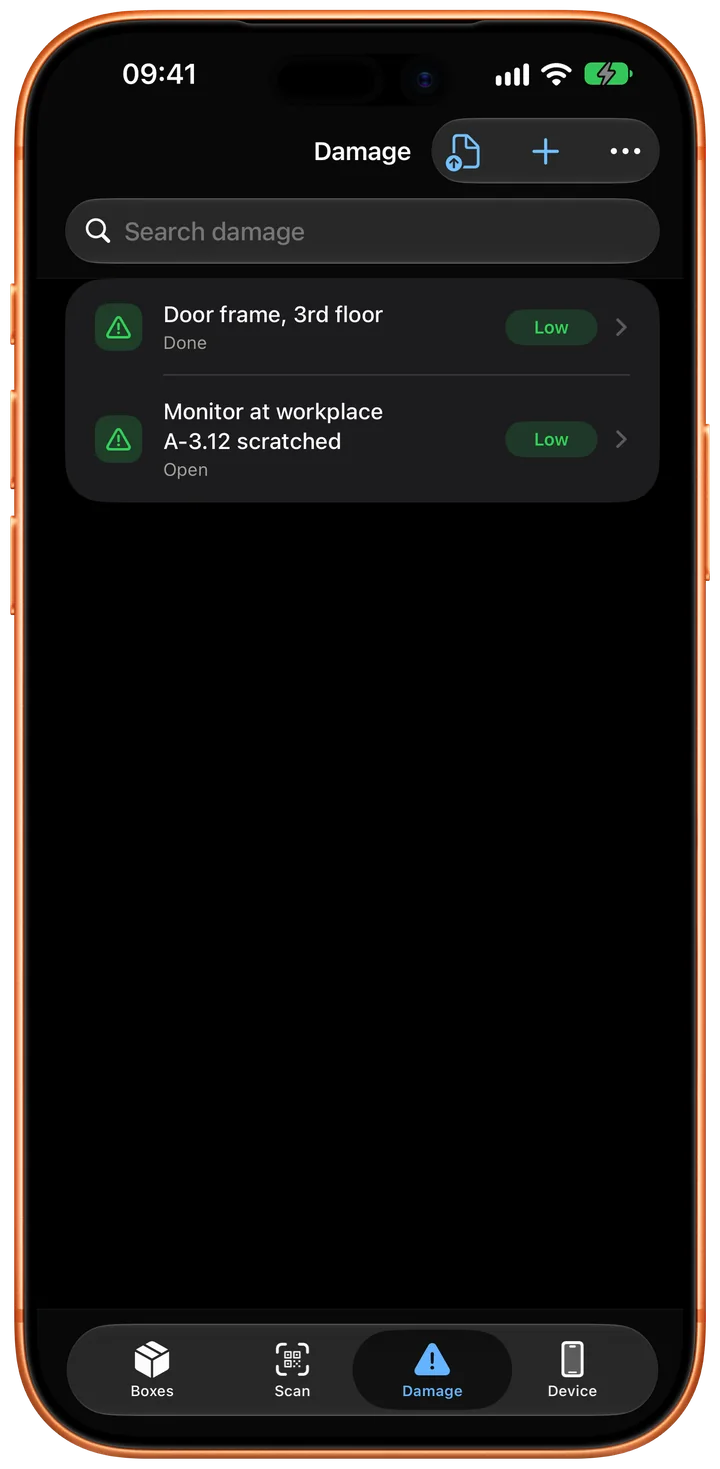
One photo reports the damage.
A scratch, a break or a missing part: you report the damage with a photo, and the managers see it at once. With the packing role you report damage at your workplace.
5Disconnect
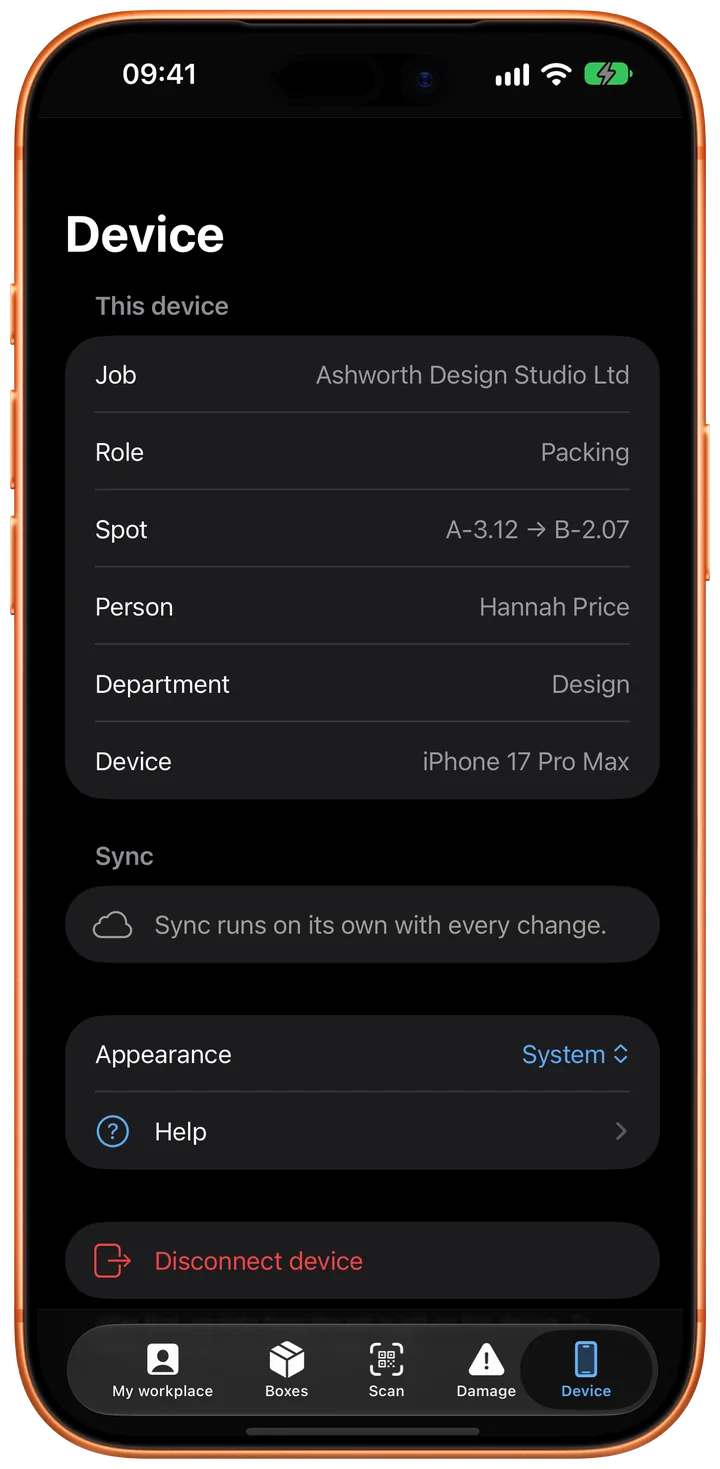
- Sync
- Disconnect device
After the move, the iPhone is empty again.
Sync runs by itself with every change. After the move you disconnect the device, or your managers do; after that no data of the move stays on the iPhone.
- To keep working you need a new code from your managers
What you need, and what you don’t
Homeshift Go is built for the work: no store, no planning, no purchases. The managers plan the move in Homeshift Business.
- Cost
- Free. The company pays for Homeshift Business.
- Account
- None. No password, no sign-in with Apple or Google.
- Data
- Only what your role needs. No customer data, addresses, budgets or values.
- AI
- Homeshift Go devices never get AI access.
- Ads
- No ads, no purchases.
- Device
- iPhone.

Already have the code?
Install Homeshift Go and scan it. You don’t need an account.